CircuitMess Marketplaces
Skitter
Skitter
Couldn't load pickup availability
Build a walking robot bug, learn how robots move, and steer it anywhere.
Meet Skitter
Build a walking robot
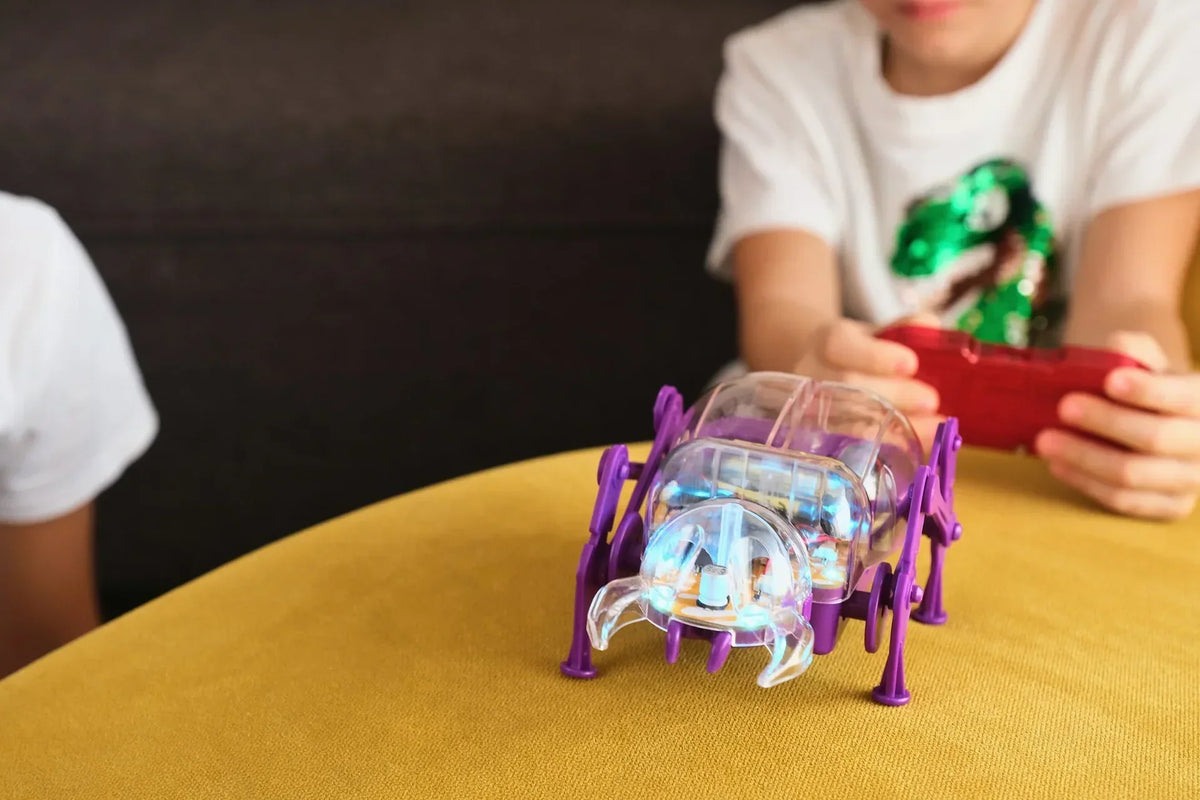
Skitter is a robot bug you build yourself: motors, circuit board, casing and four legs. No soldering and no experience needed. The screwdriver is in the box.
Walks on four real legs
Two motors, one for each side, power Skitter's legs and cross bars. The result is a bug that scuttles forward and backward and spins in place to change direction. Wheels are easy. Legs are engineering!
Learn how robots walk
Why do more legs make a robot more stable? The booklet explores walking robots, from Leonardo da Vinci's robot knight to Spot, the robot dog by Boston Dynamics.
One controller, two robots
The controller you build is universal. Use it to steer Skitter or Dashy, our DIY race car. Already have a Dashy? Its controller runs Skitter too.
What's in the box?
- Skitter PCB
- Receiver module
- Motors x2
- Battery holder
- Screws
- Skitter casing
- Skitter body and legs
- Controller casing
- Controller PCB
- Transmitter module
Batteries not included: Skitter needs 3 alkaline AAA batteries (LR03, 1.5 V) and the controller needs 1 CR2032 coin battery (3 V).
FAQ
What is CircuitMess Skitter?
CircuitMess Skitter is a DIY kit for building a walking robot bug and its remote controller. You put together the motors, circuit board, radio receiver, chassis and legs yourself. When you finish, you have a real robot that walks where you steer it.
What will I learn by building Skitter?
You'll learn how walking robots move: how two motors turn into leg motion, how the controller sends radio signals, and how Skitter's circuit board understands them. The booklet adds the history of walking robots and radio control.
What age range is Skitter suitable for?
Skitter is made for ages 7+ and for first-time builders. Kids should build with an adult nearby, and younger builders may need help with the screwdriver and small parts. Not suitable for children under 3.
Do I need any prior experience to build Skitter?
No. Skitter is designed for complete beginners, so you don't need to be a "tech genius". Follow the illustrated steps and you'll soon be holding a working robot you built all by yourself.
What tools are included/required?
Everything you need to build Skitter is in the box, including a screwdriver. No soldering is needed. The only thing you have to add is batteries.
How long does it take to build Skitter?
Most first-time builders finish Skitter and its controller in about 45 minutes. That's one sitting, and then it's race time!
Can I program Skitter?
No, and that's on purpose. Skitter is all about building and movement: real electronics, real mechanics and instant play. When you're ready to code, Bit 2.0 and Codee 2.0 are the perfect next step.
Can I control both Skitter and Dashy with the same controller?
Yes! The controller you build is universal. It steers Skitter and Dashy, our DIY race car. It works the other way too: a Dashy controller runs Skitter. Just press the pairing button on the one you want to drive. One at a time, just switch by pairing.